

Description
With a simple text area and a thickbox in your private area, you may now « close » temporarily your site, displaying an informative message while proceeding to an heavy maintenance on your spip site.
This plugin will display a text of your choice, replacing all your site’s pages, each time you activate the maintenance mode.
Installation
- Download this plugin on spip-zone
- Unzip archive and move obtained folder into SPIP /plugins directory.
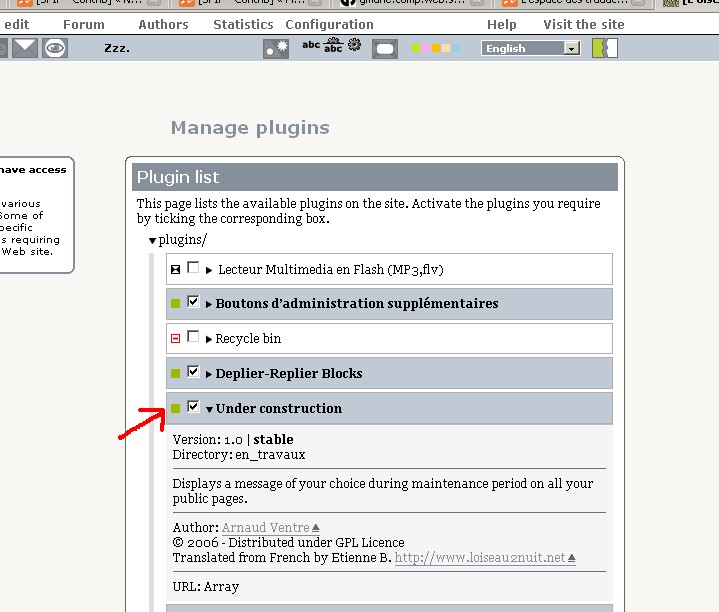
- As usual, the plugin will get activated through the private area’s plugins configuration page.
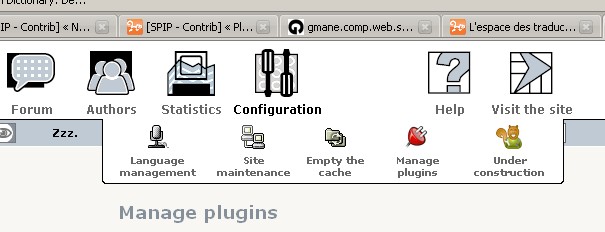
- In the « configuration » menu, a button « Under Construction » appears.
- The interface offers a text area form in which you can type your text (Spip’s typographical Shortcuts and basic HTML tags allowed).

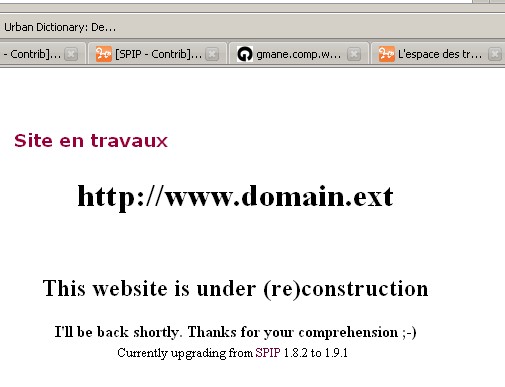
- Tick the box to activate maintenance mode, then click on « Submit » button. You can then visit your home page to notice that it has been replaced by your maintenance message.
Notes
- You still can access your private area during the maintenance period and if you are an administrator of the site, you can even access the public front office with your login and password (to check the result of your work before re-opening the website, for example)
- The plugin is considered stable by Spip-Zone developpers and users.
- Please read Spip’s official documentation for any further informations concerning plugins.
List of Versions
- 1.0 : First release
- 1.1 : You can now use Spip’s Typographical Shortcuts for your maintenance message.
- 1.2 : Spip’s Typographical shortcuts bar is now available on the text area.
This plugin was tested and assumed to work successfully with all following versions of Spip :
- 1.9.1
- 1.9.2
Discussions par date d’activité
Une discussion
Hi,
Someone around you may have had the following error message when using this plugin :
Fatal error : Call to undefined function : charset2unicode() in /home/nouveaup/www/plugins/en_travaux/mes_options_en_travaux.php on line 26Please note that the problem has been identified and was rectified. A Commit has been done on SPip-Zone to correct this. The new Zip should be available on Sunday 01/28/2007 in the morning.
If you have installed a previous version of the plugin, you should upgrade it as soon as possible ;)
Bye.
Répondre à ce message
Ajouter un commentaire
Avant de faire part d’un problème sur un plugin X, merci de lire ce qui suit :
Merci d’avance pour les personnes qui vous aideront !
Par ailleurs, n’oubliez pas que les contributeurs et contributrices ont une vie en dehors de SPIP.
Suivre les commentaires : |
|
